
This page describes a playout in overlay mode, in which the playout carries only the layer that lies over the picture, full screen, and nothing else. It has one purpose, which is to supply a key input on a vision mixer, so that the mixer can place graphics over its own picture.
What it is
In overlay mode, the playout draws only the output page. This page contains the graphics that are live at that moment, on a transparent background, full screen.
In return, the playout loses the features of a normal playout:
- It has no cue list, so there is nothing to start.
- It has no audio.
- You cannot select it, so it cannot be used for something else by mistake.
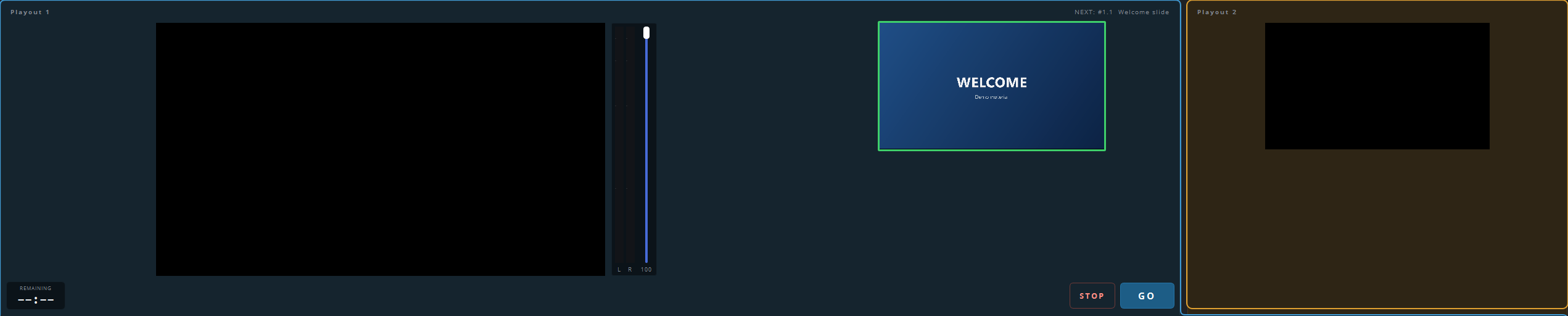
The panel is shown at half size, without the transport bar, the meters and NEXT, and it has a border on all sides. This shows that the playout has a fixed function and is not simply idle.
Switching it on
Go to Settings → Outputs, open the playout’s tab, and switch on Overlay output only under Options.
Then give the playout an output that carries the overlay to its destination. This is usually NDI, or an SDI card with fill and key.
Transparency and the background
The output page is transparent, but whether the transparency is kept depends on the output:
| Output | Setting |
|---|---|
| NDI, or DeckLink with fill+key | Leave the background off. The alpha channel is sent with the picture |
| A projector, or a card without key | Switch on Background colour instead of transparent, and key on that colour later in the chain |
You can choose the background colour yourself. The usual choice is a green or blue that does not occur in your graphics.
What appears on it
The playout itself puts nothing on this layer. The layer is empty unless a module supplies graphics, so in a base installation the overlay output is a transparent, empty picture.
The usual setup
In the usual setup, one playout runs the programme and supplies the stream. A second playout is set to overlay only and supplies the key input of the mixer. The mixer then places the graphics over its current picture, which can be a camera, a slide or the programme, and the operator does not need to know which picture that is.