
This page describes the server settings: where the stream goes and how the server accepts it. The program has no list of platforms. You enter the address yourself, which means that you can use any platform, or your own server.
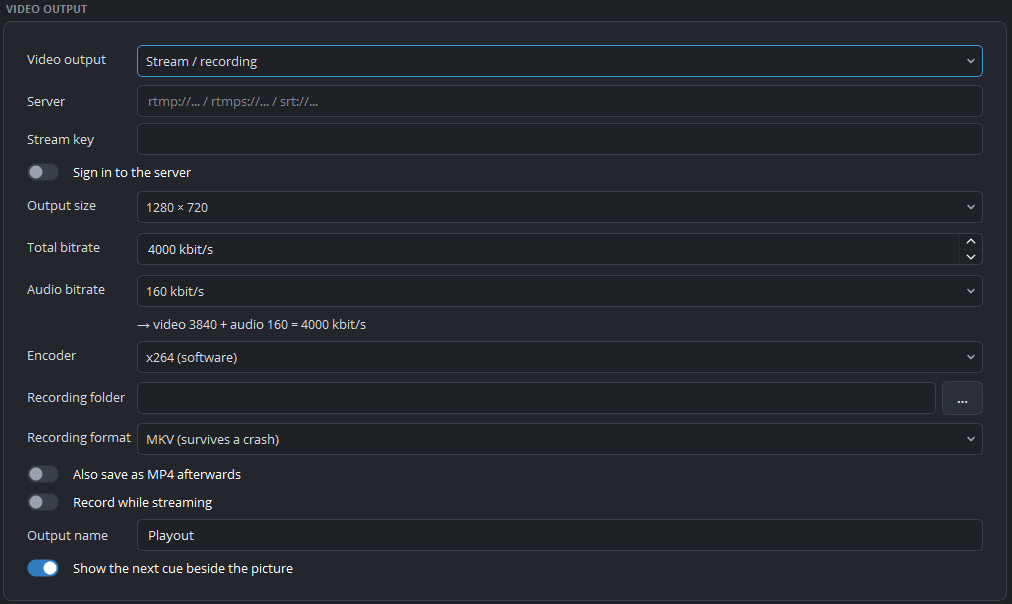
The settings
These settings are under Settings → Outputs, when the type is Stream / recording:
| Setting | Description |
|---|---|
| Server | The address that the stream is sent to. |
| Stream key | The key that identifies your channel. |
| Sign in to the server | For servers that require a user name and password, instead of a key or in addition to it. |
| User name and Password | Shown when signing in is switched on. |
Protocols
The address determines the protocol, and the program supports four:
| Prefix | |
|---|---|
rtmp:// | The classic protocol. Almost every platform supports it |
rtmps:// | The same protocol with encryption. Most large platforms now require it |
srt:// | A protocol for unreliable networks. It recovers lost packets |
rist:// | A different standard with the same purpose |
Entering the address
The server and the key are two separate fields. Platforms usually provide them separately, as a “server URL” and a “stream key”, and you enter them exactly as you receive them. It does not work if you paste both into one field.
If a platform provides one long address that includes the key, split it at the last slash. The part before the slash is the server, and the part after it is the key.
Your own server
The settings do not depend on a platform. An RTMP server in the building, a media server at a hosting provider and a restreaming service all need only an address and, usually, a key.
A restreaming service is also the way to send one playout to several platforms: the program sends one stream to the service, and the service distributes it.
Practical notes
The key is a password. The program stores it with the configuration of the computer and hides it in the settings window, so keep this in mind on a shared control-room PC.
Test with the real key. Stream keys expire, are replaced and are mistyped, and a test on the day before the show checks both the key and the network.
A stream belongs to one playout. Two playouts can each have a stream, with their own key and bitrate. See part 4.