
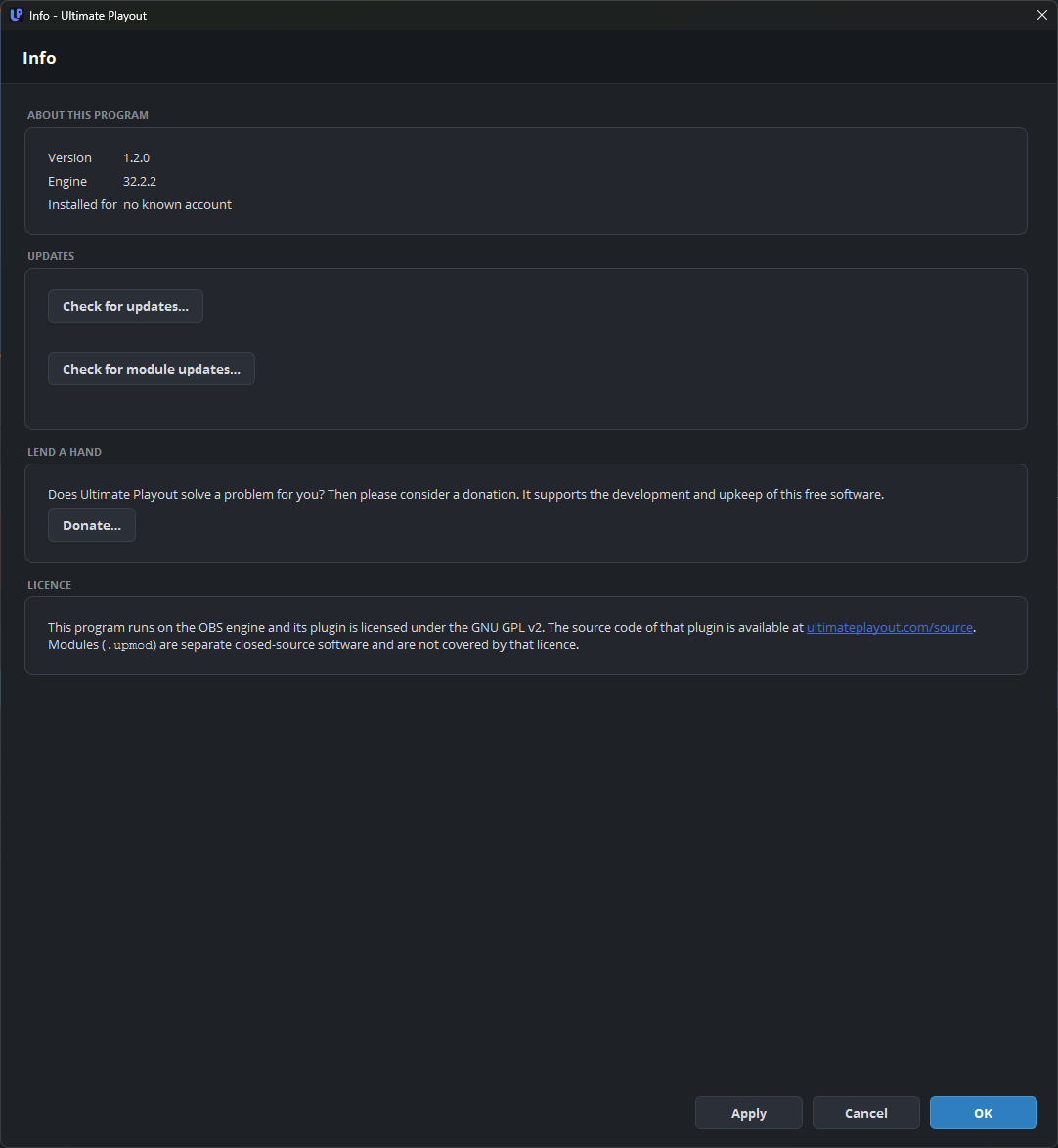
This page shows which version you have, and it contains the two update buttons.
What it shows
| Version | The version of the program. |
| Engine | The version of the engine that the program is built on. |
| Installed for | The account that this installation belongs to, or no known account. |
Include these three details when you report a problem. The engine is supplied with the program and is not updated separately. See the engine.
Updating the program
Check for updates… checks whether a newer version is available.
| Text | Meaning |
|---|---|
| You have the latest version | No action is needed. |
| Version X is available. | A window appears with What is new: and the buttons Read more…, Later and Download now. Read more… appears only when the notes do not fit in the window. |
If you choose Download now, the program downloads and checks the update. When the update is ready, the program must close before the update can be installed, and it asks you first.
Do this after a service, not before one. If an update becomes available shortly before a broadcast, install it the next day.
Updating the modules
Check for module updates… does the same for the modules of your account.
| Text | Meaning |
|---|---|
| This account has no modules. | There is nothing to check. |
| All N module(s) are up to date. | No action is needed. |
| N module(s) can be updated. | A list follows with the name, the old version and the new version of each module. The list also shows which modules are new. |
The modules stop for a moment during the download. The base program continues to run, but everything from a module is unavailable for a short time, so do not do this during a service either.
Part 13 describes both updates in more detail.
Lend a hand
Donate… opens a page where you can support the development of the program. Your installation does not depend on it.
Licence
The plugin is licensed under the GNU GPL v2, and the page has a link to the source code. The modules are separate, closed-source software.