
The page you look at when somebody asks “which version are you on”. It also holds the two update buttons.
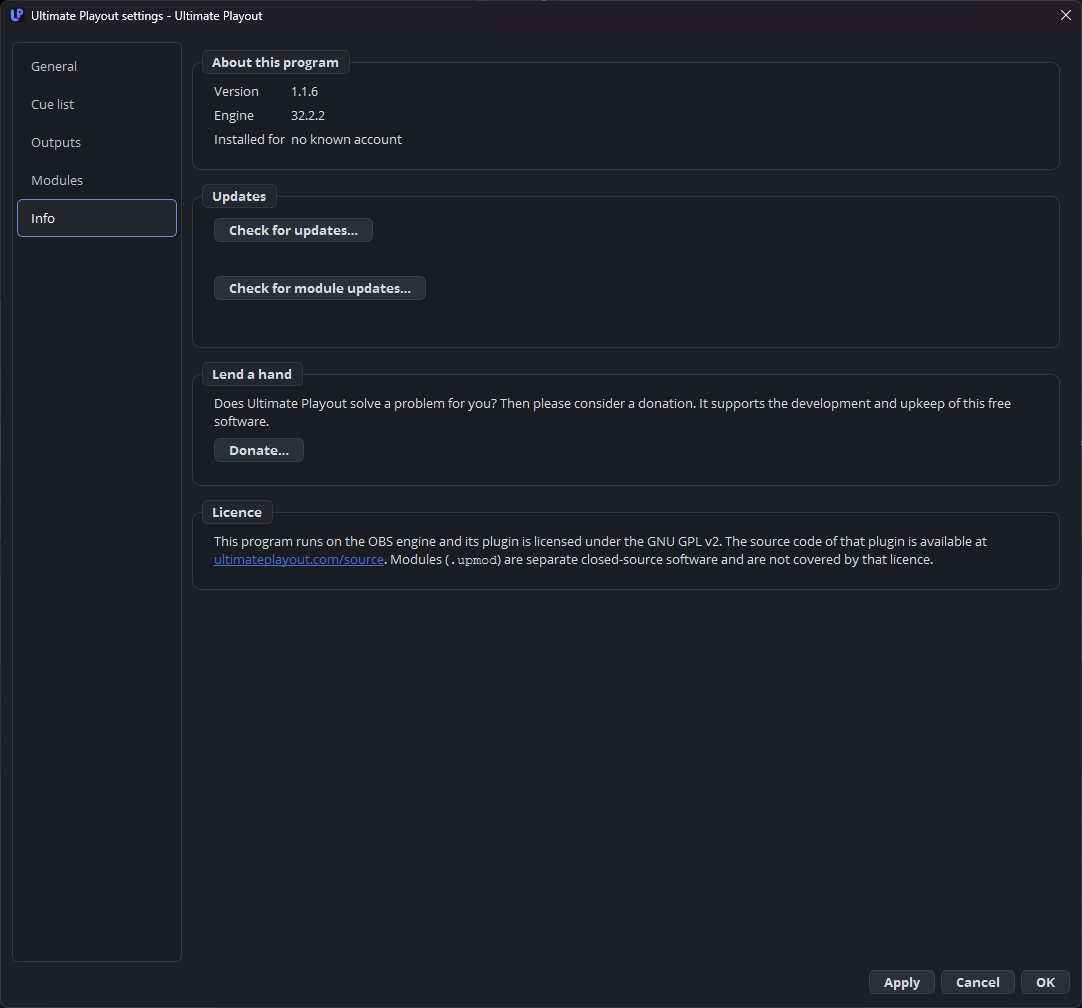
What it tells you
| Version | The version of the program. |
| Engine | The engine version underneath it. |
| Installed for | The account this installation belongs to, or no account known. |
Those three together are what to quote when reporting a problem. The engine version matters more than people expect: the program and the engine belong to one generation, which is why the engine is pinned — see the engine.
Updating the program
Check for updates… asks whether there is a newer version.
| It says | Meaning |
|---|---|
| You have the latest version | Nothing to do. |
| Version X is available | With What is new and a Read more… link. |
Choose Download now and the update is fetched and checked. When it is ready the program has to close before it can be installed, and it asks before doing so.
Do this after a service, not before one. An update that arrives half an hour before a broadcast is the update you install on Monday.
Updating the modules
Check for module updates… does the same for the modules that belong to your account.
| It says | Meaning |
|---|---|
| No modules belong to this account | Nothing to check. |
| All N modules are up to date | Nothing to do. |
| N modules can be updated | With a list: name, old version, new version, and which are new. |
Fetching them stops the modules for a moment. The base program keeps running, but anything a module provides is briefly gone — so, again, not during a service.
Lend a hand
The page ends with a way to support the program’s development. Nothing about your installation depends on it.
Why the update check is here at all
Everything else that talks to a service is a module’s work. The update check is the deliberate exception: it is about the program itself, and in a module it would disappear the moment somebody switched that module off — leaving exactly the person who is behind on versions without any way of finding out.