
Everything about how the rundown behaves. Most of these decide what a new cue looks like, so setting them once saves work on every list you build afterwards.
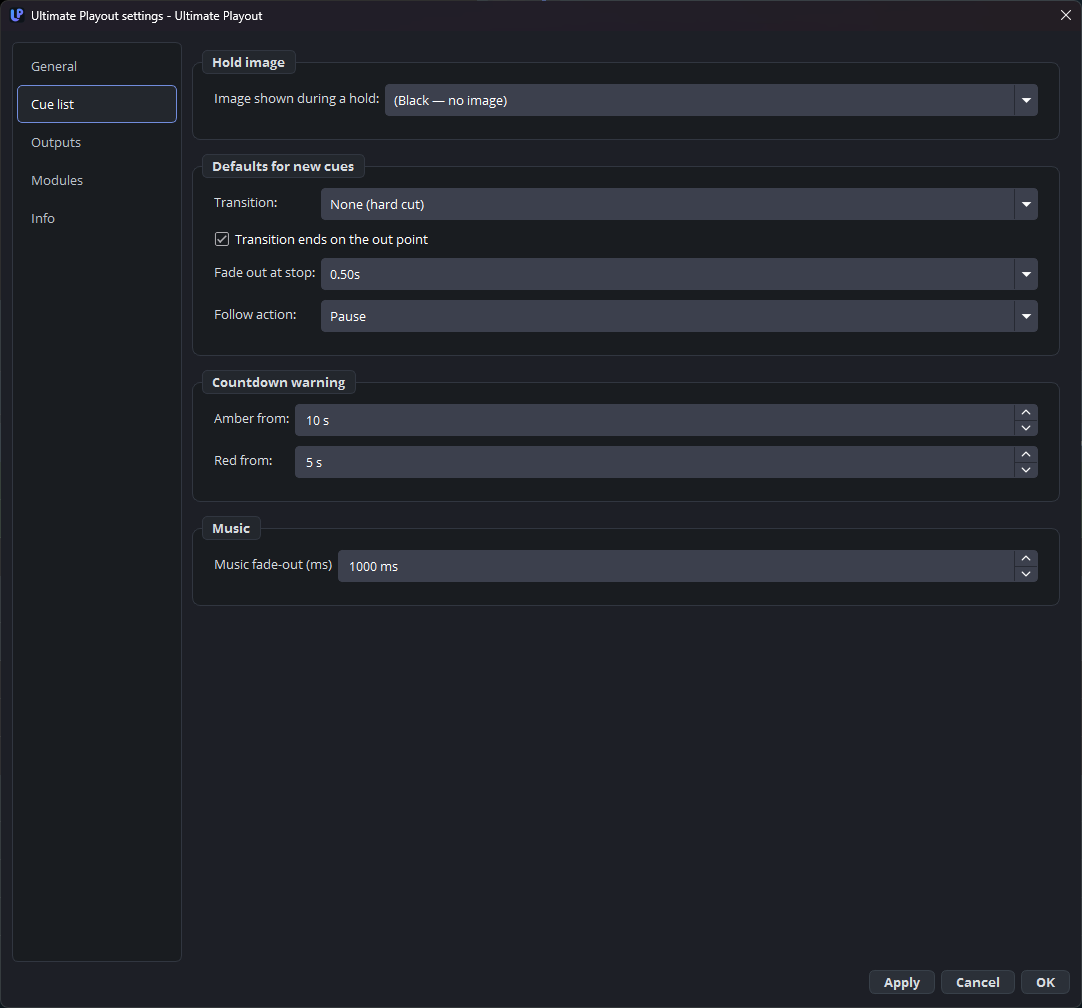
Defaults for new cues
| Setting | What it does |
|---|---|
| Default transition | Cut, fade or dip, with a duration, for newly added cues. |
| Default follow action | Pause, next, loop or stop, for newly added cues. |
| Transition ends on the out point | On: the fade finishes exactly at the out point. Off: the cue plays to its out point in full and the fade starts there. |
| Fade out at stop | The fade used when you press STOP, or when a cue with follow stop ends. |
Set the two defaults to what your shows use most. Changing them does not touch cues that already exist.
Transition ends on the out point has no right answer, only a house style — transitions explains the trade.
Hold image
| Setting | What it does |
|---|---|
| Image shown on a hold | Black, a source you pick, or the same as the cue list. |
Worth setting once. A hold on black looks like a fault; a hold on a card looks like the programme. See hold.
Each playout can override it under Outputs, where the same setting has an extra choice: (same as the cue list). So one line can have its own hold card while the rest follow this one.
Countdown
| Setting | What it does |
|---|---|
| Amber at | Seconds remaining when the countdown turns amber. |
| Red at | Seconds remaining when it turns red. |
This is the operator’s warning on the transport bar, not the clock the audience sees. Ten and five seconds are sensible; longer if the person on the button also has other things to do.
Music
| Setting | What it does |
|---|---|
| Music fade-out (ms) | How quickly a music bed fades when the playout leaves its range. |
About a second sounds deliberate. An instant cut sounds like a fault; four seconds sounds like nobody is at the desk.
What is not on this page
Two settings you may have read about elsewhere appear only when something else brings them in: hiding cue types from the toolbar, and collapsing sub-groups after an import. Both belong to features a module provides, and they appear with that module.