
The Cue list page sets how a list behaves, and what a new cue starts with. Most of these settings apply to new cues, so if you set them once, you save work in every list that you build afterwards.
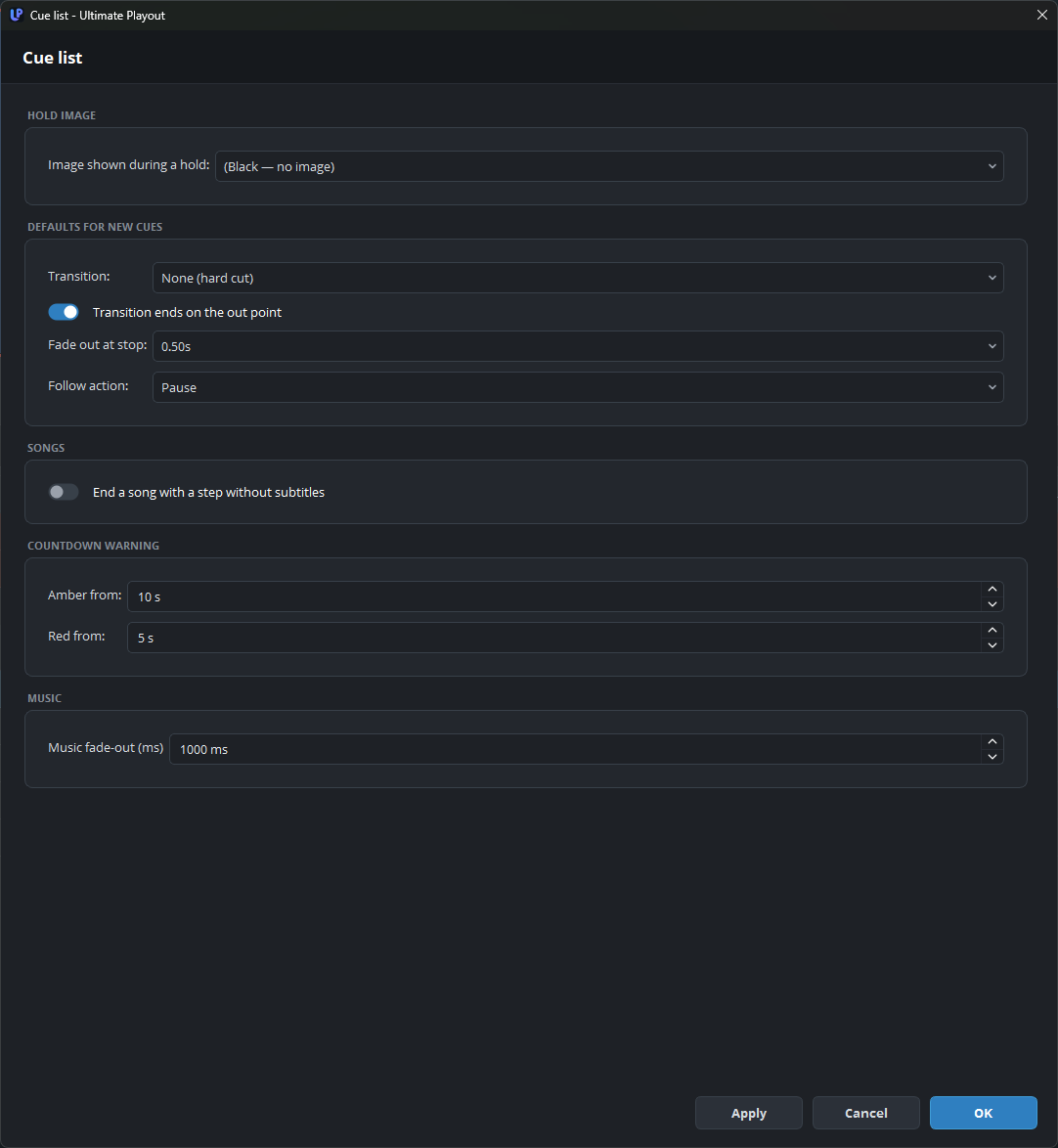
Hold image
| Setting | What it does |
|---|---|
| Image shown during a hold | (Black — no image), or one of your scenes. |
Set this once: a hold on black looks like a fault, while a hold on a card looks like part of the programme. See hold.
Each playout can have its own setting under Outputs, where (same as the cue list) replaces black. One playout can therefore have its own hold card, while the others use the setting on this page.
Defaults for new cues
| Setting | What it does |
|---|---|
| Transition | None (hard cut), or a fade of 0.5, 1, 1.5 or 2 seconds, for new cues. |
| Transition ends on the out point | On: the fade ends exactly at the out point. Off: the cue plays in full to its out point, and the fade starts there. |
| Fade out at stop | The fade that the program uses when you press STOP, or when a cue with the follow action stop ends. |
| Follow action | Pause, Next, Loop or Stop (black), for new cues. |
Set Transition and Follow action to the values that your shows use most. Changing them does not change existing cues.
For Transition ends on the out point, neither option is better; it is a matter of house style. See transitions.
Songs
| Setting | What it does |
|---|---|
| End a song with a step without subtitles | Adds one step after the last lines of a song with subtitles. On that step, the subtitles go and the last verse stays on screen. Off by default. |
Without this step, the subtitles of the last lines stay on screen until the song itself goes. With it, one GO takes the subtitles away first, and the next GO, on the hold after the song, takes the song away. The setting matters only when the Songs and Subtitles modules are both on.
Countdown warning
| Setting | What it does |
|---|---|
| Amber from | The number of seconds remaining when the countdown turns amber. |
| Red from | The number of seconds remaining when the countdown turns red. |
This is the warning for the operator on the transport bar, not the clock that the audience sees. Ten and five seconds are suitable values, but use longer times if the operator has other tasks as well.
Music
| Setting | What it does |
|---|---|
| Music fade-out (ms) | How quickly a music bed fades out when the playout leaves its range. |
About one second sounds intentional. An immediate cut sounds like a fault, and four seconds sounds too slow.
What is not on this page
Cue types in the toolbar, which sets the buttons that the toolbar shows, is on the Modules page. Show subgroups collapsed after import appears only with a module that imports material as a group, and it is on the page of that module.