
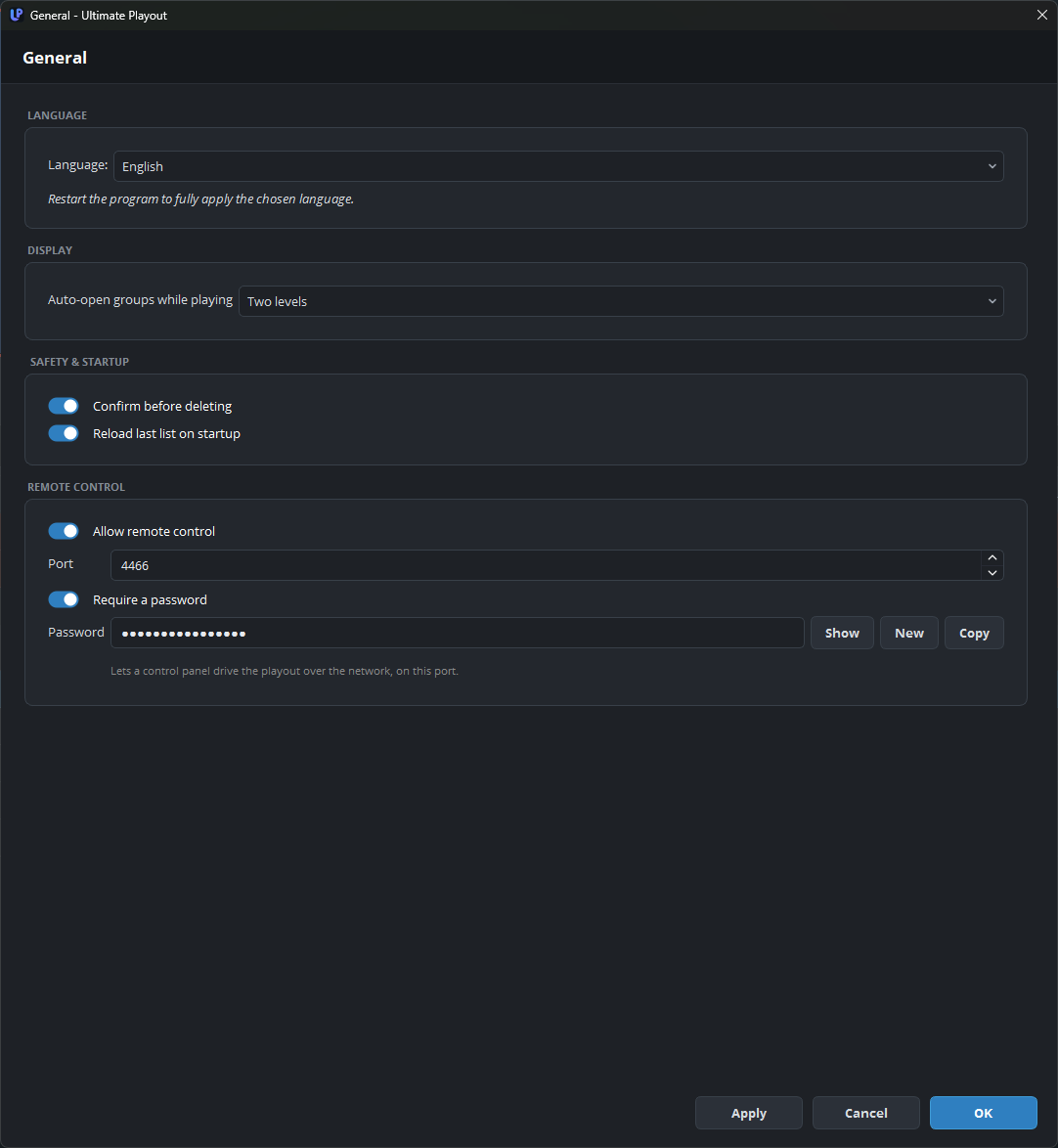
The General page contains the settings that apply to the whole program. It has four groups: language, display, safety and remote control. Open it with Settings → General… in the menu bar, and leave Confirm before deleting switched on.
Language
| Setting | What it does |
|---|---|
| Language | English, Nederlands, Norsk, Deutsch or Español. Each language is listed in its own language. |
Most of the interface changes at once, but a few texts are built only at startup and keep the old language until you restart.
The language is a setting of the computer, not of a list. See languages.
Display
| Setting | What it does |
|---|---|
| Auto-open groups while playing | Off, one level, or two levels. Opens a group by itself when the playout enters it. |
In a long list, this keeps the current block in view. With two levels, the program also opens a sub-group inside the group.
Safety & startup
| Setting | What it does |
|---|---|
| Confirm before deleting | Asks for confirmation before the program deletes a cue. |
| Reload last list on startup | Opens the list that you used last. |
Leave the confirmation on. Ctrl+Z restores the last deletion, up to twenty steps, but the confirmation prevents mistakes such as deleting a whole block that was selected by accident.
Reload last list suits a computer that runs one recurring show, not a computer that is used for something different each day.
Remote control
| Setting | What it does |
|---|---|
| Allow remote control | Allows a control panel to control this playout over the network. |
| Port | The port that panels connect to. |
| Require a password | Strongly recommended. |
| Password | With the buttons Show, New and Copy. |
This group appears only when the remote-control component is present. Port and Require a password appear when Allow remote control is ticked, and Password appears when Require a password is also ticked.
The settings in this group take effect at the next start, and the window says so below them. For the full description, see the remote connection.