
This page covers the network connection a control panel talks over. One checkbox, a port and a password — and one thing to know about when the change takes effect.
Switching it on
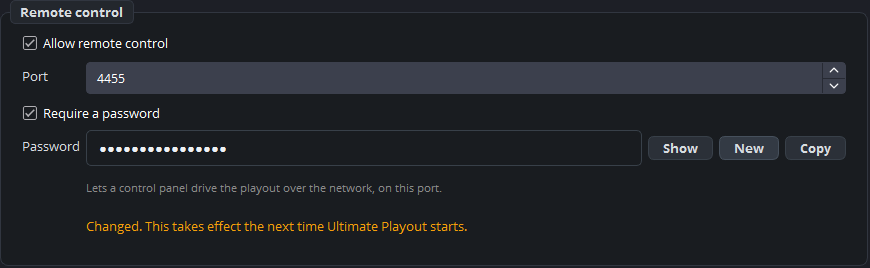
Settings → General → Remote control:
| Setting | What it is |
|---|---|
| Allow remote control | Off by default. |
| Port | The port panels connect to. |
| Require a password | Strongly recommended, see below. |
| Password | With Show, New and Copy beside it. |
New generates a password without characters you lose on another keyboard — no I, l, 0 or O to mistype at the other end. Copy puts it on the clipboard for pasting into the panel.
It takes effect after a restart
A change here starts working the next time the program starts, and the settings say so on the line itself.
That is not a shortcoming of this program: the connection is served by a component of the engine that reads its settings once, at startup. Set it, restart the program, then set up your panel.
Why this is in the settings at all
The engine has its own window for this, under a menu the branded shell hides — so on a branded installation there was no way to reach it. These settings write that component’s configuration file directly, and only the keys they know about.
Security
Switch the password on. Without one, anybody who can reach the port can stop your broadcast — and on a church or school network that is a larger group than people assume.
Two more habits:
Do not forward the port to the internet. A control panel belongs on the same network. Where somebody genuinely has to reach it from elsewhere, that is a VPN question, not a port-forwarding question.
Change the password when the volunteer team changes. It is written down somewhere by then.
Checking it works
After the restart, connect your panel. If it does not connect, work through them in this order:
- Is Allow remote control really on — and did the program restart since?
- Does the port match on both sides?
- Does the password match? Use Copy rather than typing it.
- Can the panel reach the machine at all — same network, no firewall in between?
The full page for this is Companion sees nothing.